Minimalist notepad that titles itself
Just write. AI handles the titles and categories. Stays lightweight, stays local. Built for developers.
Direct download is a universal Apple silicon + Intel build, Developer ID signed, notarized, and works on macOS 13 or later. Pro is a $4.99 one-time Mac App Store purchase with a 14-day trial; the direct DMG can start the trial and links users to the App Store to purchase or restore.
Why Notepad--
Built for quick notes, snippets, logs, release checklists, and meetings without the weight of a full document app. No naming friction—AI can fill titles. No cloud dependency—your notes live on your Mac.
- Three-pane layout: categories, time-grouped list, monospaced editor
- Drag-and-drop categories; archive for clutter-free lists
- Bring Your Own Key (OpenAI-compatible, e.g., DashScope); mock mode when API key is empty
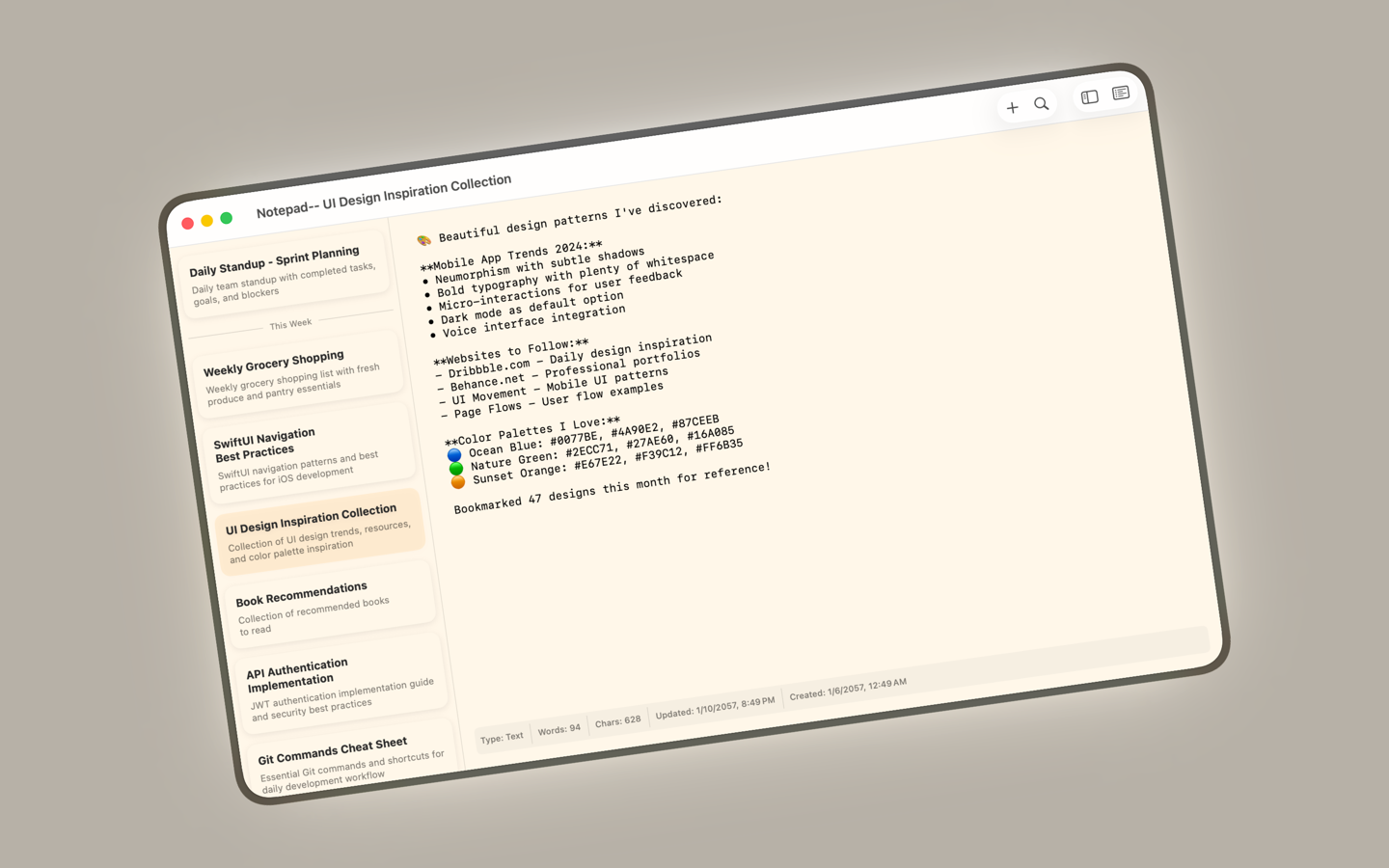
Open-and-type
Launch directly into edit mode. ⌘N creates a new note instantly—no dialogs, no naming prompts.
Find & Replace
⌃H opens a draggable panel with live highlighting. Replace one or all matches, toggle case sensitivity, and see results instantly.
Command Palette
Use the palette to create notes, open files, search, reload linked files, and reach frequent actions without hunting through menus.
Local-first by design
Notes stay in ~/Library/Application Support/Notepad--/notes.sqlite. No account, no tracking.
AI-powered titling
Let AI suggest titles and categories when you hit 500+ characters, or right-click "Auto title" anytime. Works offline with mock mode.
Developer-friendly
Tab/⇧Tab indentation, monospace editing, keyboard shortcuts, and support for 40+ file types including JS, Python, Swift, JSON, and YAML.
AI that stays optional
When content exceeds ~500 characters and a note is still “Untitled” or “Uncategorized”, Notepad-- can auto-title and auto-categorize for you. Configure Base URL, API Key, and Model. Leave the key empty to stay offline with Mock AI.
Transparency & control
- OpenAI-compatible endpoint (e.g., DashScope) with your own key
- Single-category selection from your live category list
- AI errors surface in-app without blocking editing
Privacy-first foundation
We do not collect personal data. Network calls occur only if you provide an AI key. Local storage uses SQLite; preferences live in UserDefaults.
Support & compliance
Contact support@notepad-minus-minus.org for data questions, takedowns, or AI endpoint issues. Review our Privacy Policy and Terms of Service.
Ready for simpler note-taking?
Notepad-- is your minimalist, local-first buffer for logs, snippets, and daily scratch work. Just write, let AI handle the organization.
Notepad-- Pro is a $4.99 one-time Mac App Store purchase. Direct DMG users can try Pro locally for 14 days, then open the App Store version to purchase or restore it with their Apple Account.